Other payment methods
If you want to select a different payment method, click the “Select another payment method” button below.
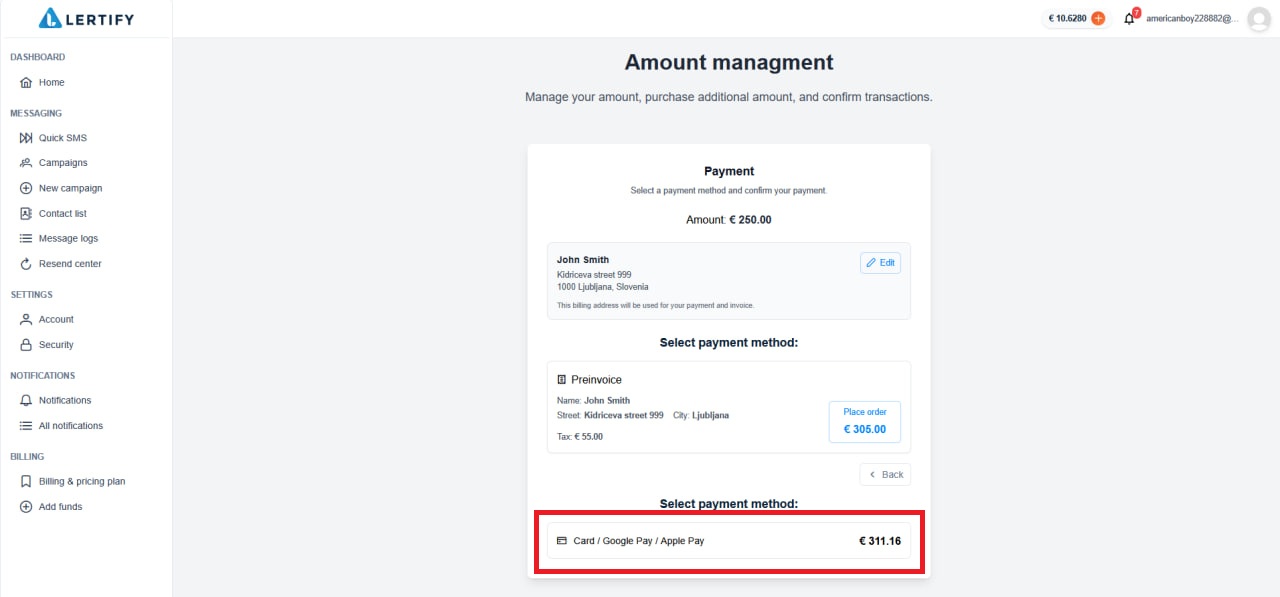
A button will appear that will take you to the page where you can select another payment method.
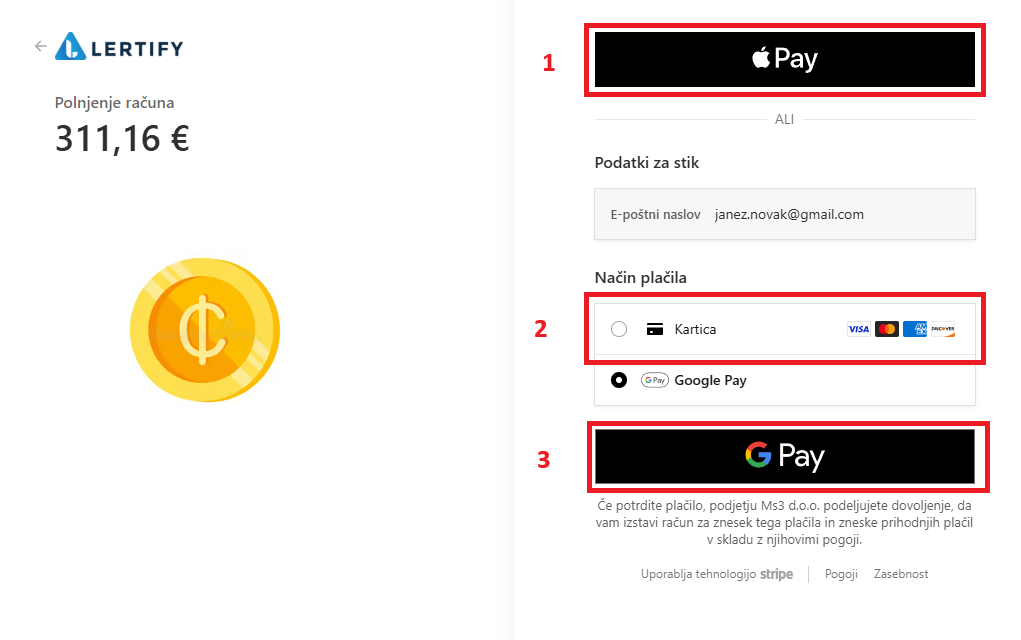
You can choose to pay via Apple Pay, Google Pay, or a payment card.
To pay via Apple Pay, click the black button at the top (1). A QR code will appear, which you need to scan with your iPhone and then complete the payment.
To pay by card, select “Card” (2) and enter the basic card details and the cardholder’s information.
To pay via Google Pay, select “Google Pay” (3).