Account funding
The final step in the setup process is adding funds to your account. You can add funds in several ways: by clicking one of the “Add Funds” buttons (1) on the main page, by clicking the + icon in the website header (2) next to your account balance.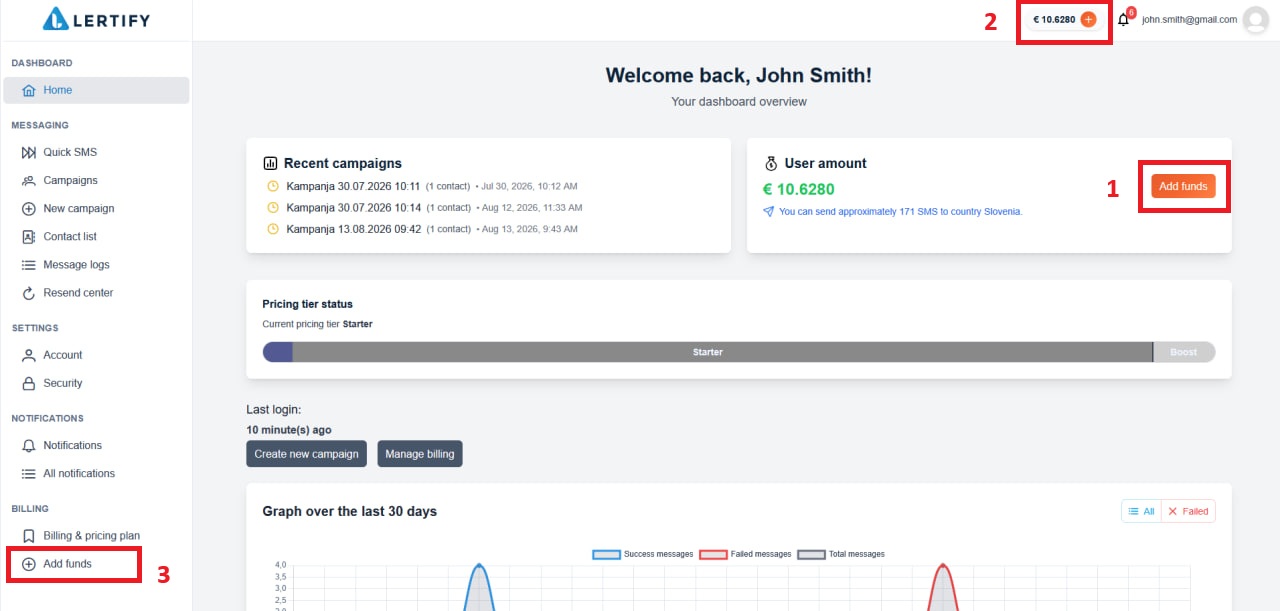 When you open the funds top-up page, select the amount you want to add to your account and the country from which you will be sending SMS messages. The country selection is for informational purposes only. You will be able to send SMS messages to any country. At the bottom of the page, you will see an estimate of how many SMS messages you will be able to send with the selected amount to the selected country.
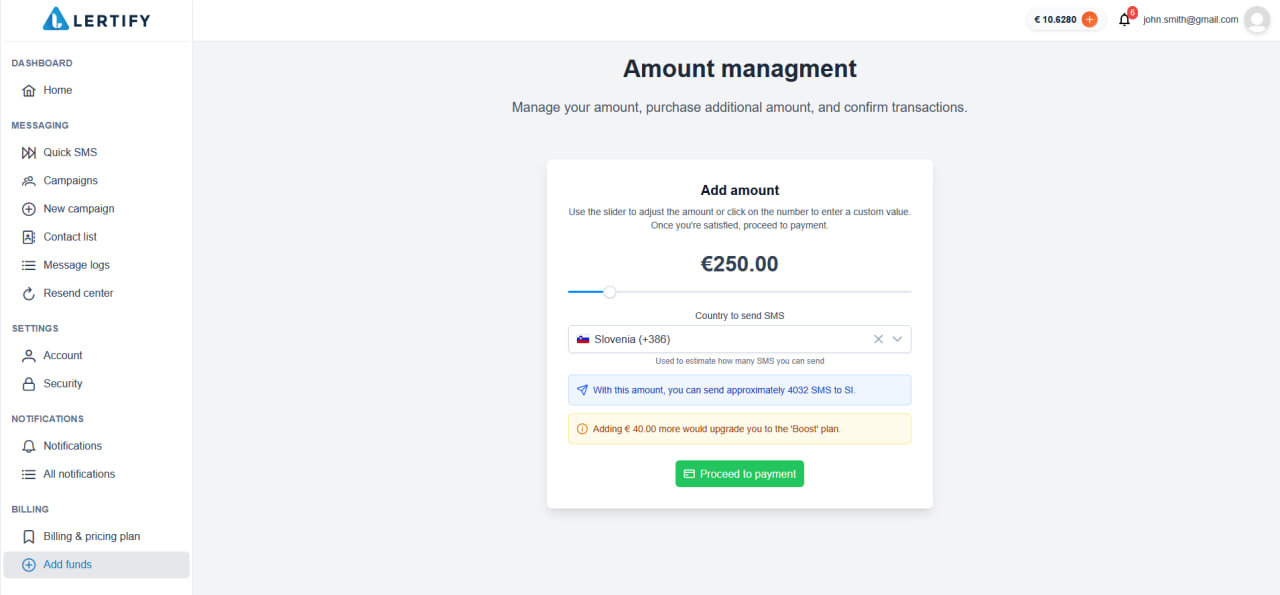 Next, you need to enter your basic information. You can enter your personal details.
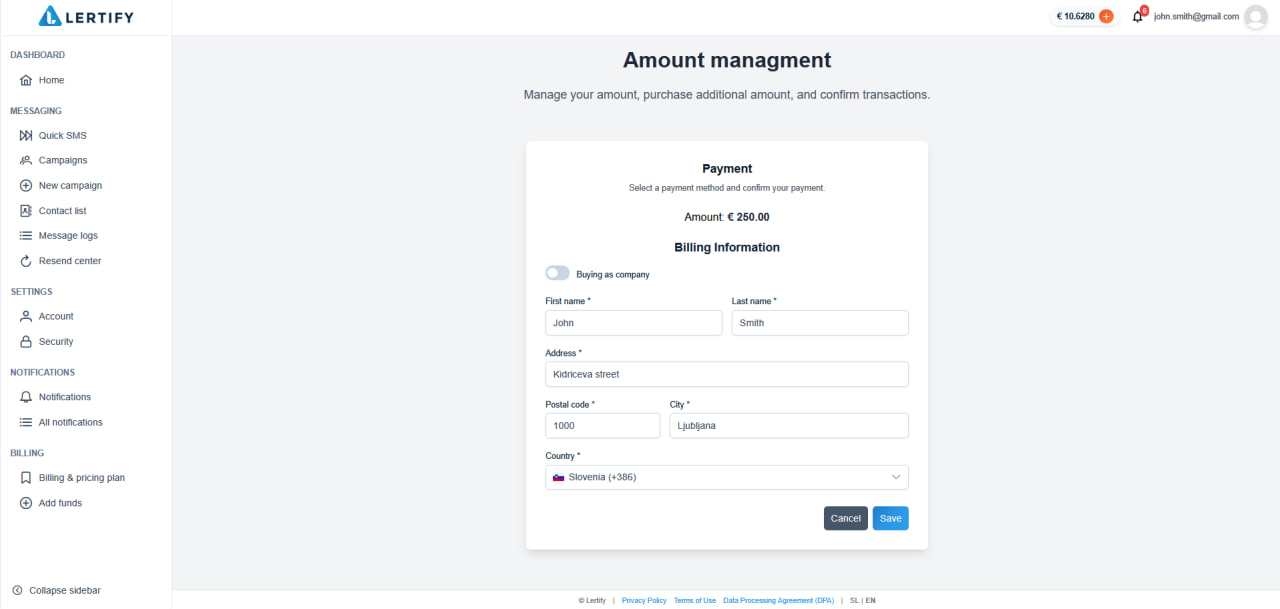 Or your company details.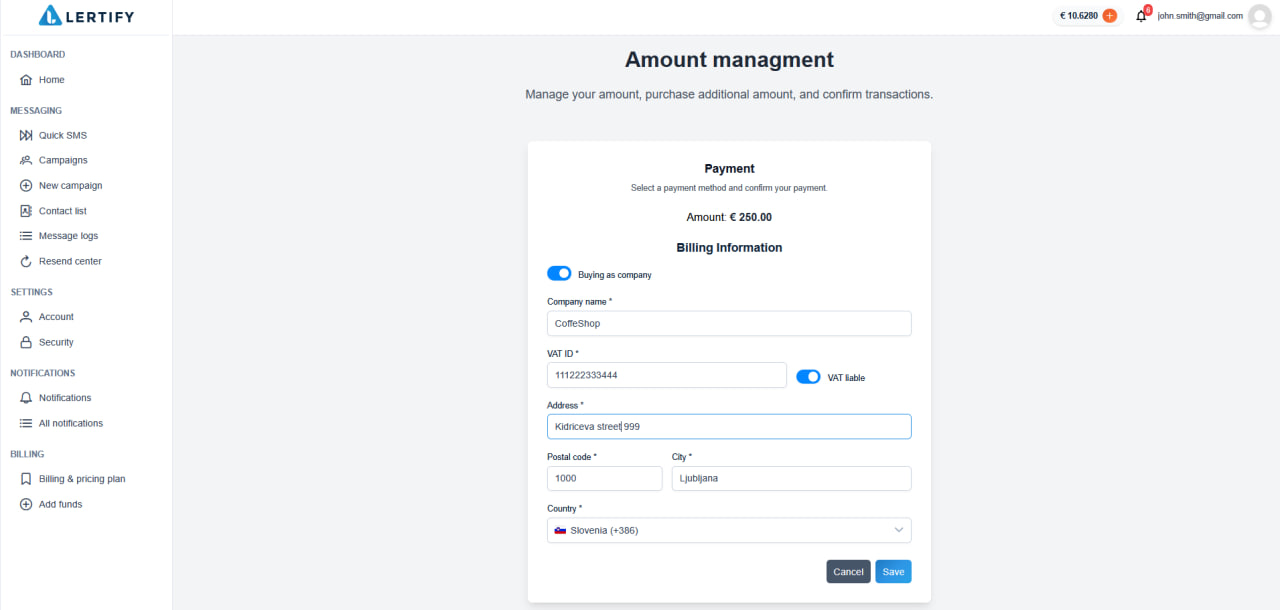
Default payment method
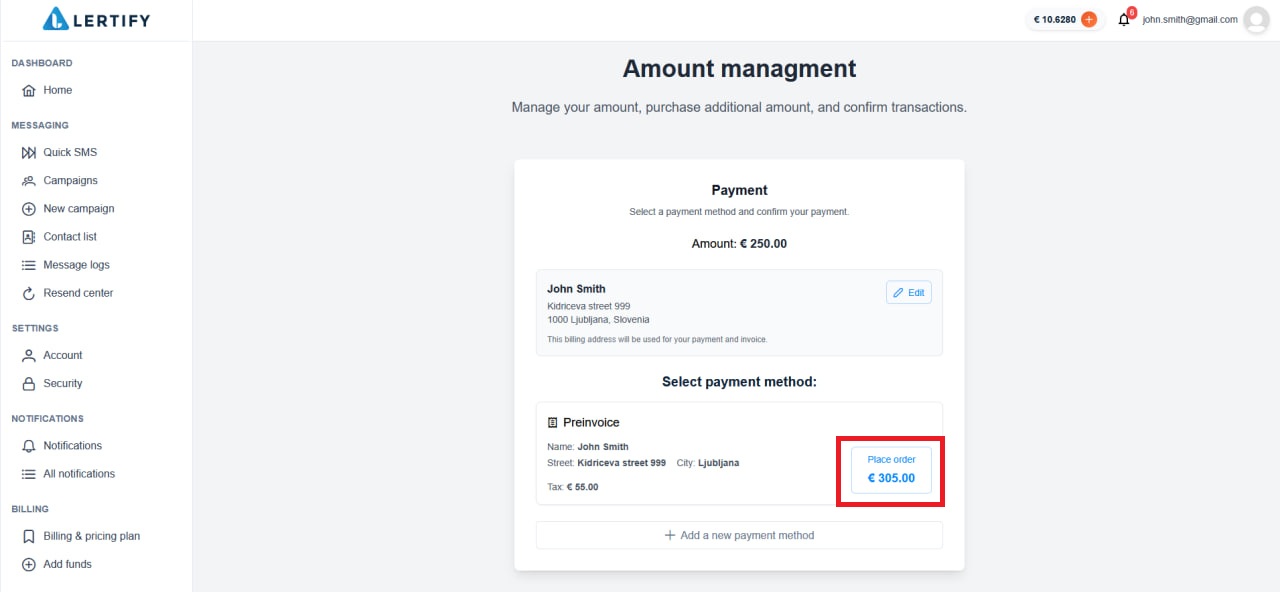
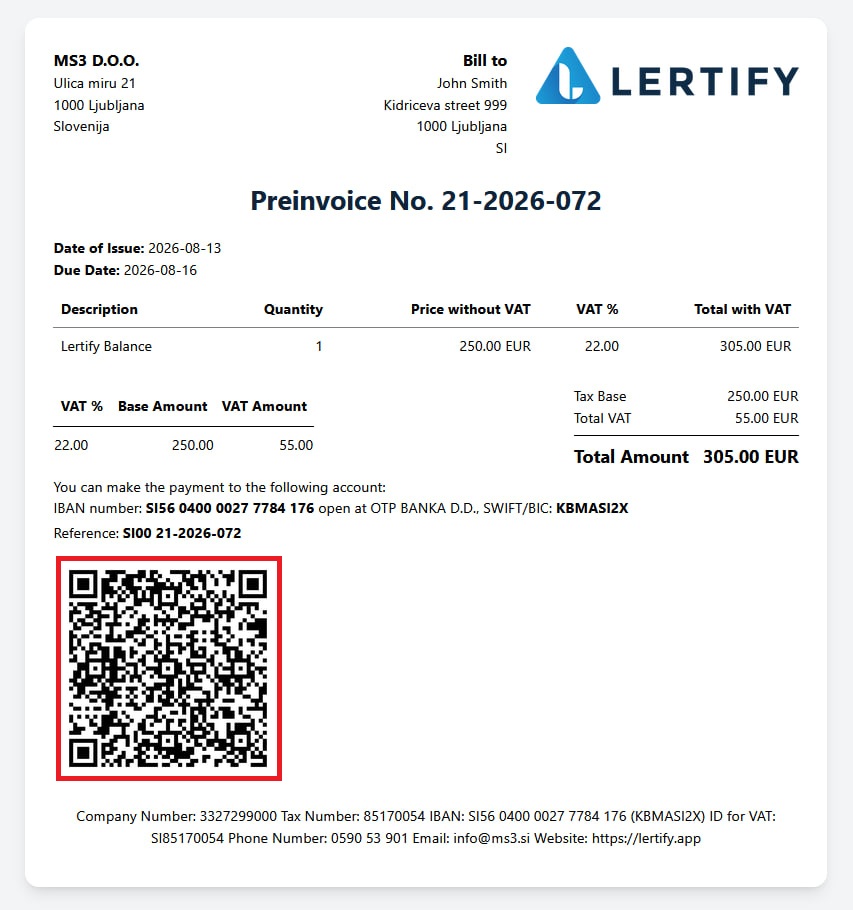
Next, you will need to select a payment method. You can use the default payment method by clicking “Place Order”. A window will then open where you can review and submit your order. The default payment method is pro forma invoice. When you select this payment method, the funds will not be added to your account immediately. The balance will only be added after the payment has been successfully completed and verified by our team.