Billing Dashboard
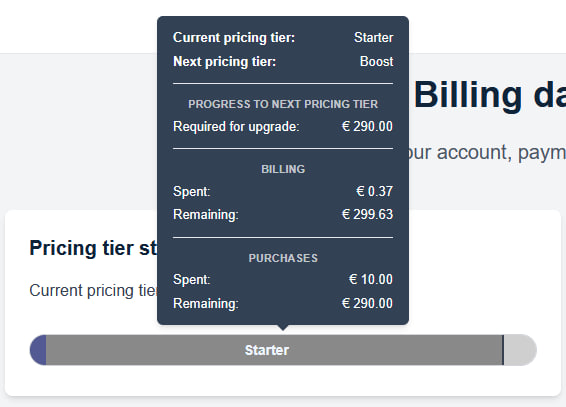
In the “Payments” section, under the “Payments and Pricing Level” tab, you can check your “Pricing Level Status” (1). When you hover over the pricing level bar, additional information will be displayed. Slightly to the right, you can see your balance and the option to top it up (2).

When you hover over the pricing level status bar, you will see the following basic information:
- your current pricing plan,
- the next pricing plan,
- the amount already spent,
- the amount you still need to spend to reach the next pricing plan.
More information about the pricing plans and their benefits can be found in section 4.5.7. Price List.